scheduling, time clocks, onboarding and payroll prep for deskless teams — in one place you can talk to. say it the way you'd text it, check what it's about to do, tap confirm.
the real screens, doing the jobs that eat your week.
press ⌘k at your desk, or open it on your phone. it knows your sites, people, rules and rates, shows you exactly what it's about to change, and does nothing until you tap confirm. it only does what you're allowed to do, it never puts personal details in the chat, and it can't make up a name, a rate or a date.
| 2500 - massimo dutti | $581.25 |
| alvarez, fabian · 17:00 | $318.75 |
| castro, luis · 14:00 | $262.50 |
| 2504 - terminal g | $775.62 |
| 6316 - shell bay | $955.62 |
| unassigned | $261.00 |
| overtime premium | $123.00 |
illustrative, but the same flow as the live product. ⌘k opens it at your desk; expand it and it takes the whole screen, with your conversations on the left and what it's working on beside it.
try it in the live demorocteams isn't five apps stitched together. hire someone and they're schedulable; schedule them and their site's rules apply; they clock in and the hours land on payroll and on the job. the assistant works on all five — or click through them yourself.

describe a new hire and the form fills itself — site and position can wait until they're placed. a lapsed certification blocks scheduling and clock-in before it reaches a job site, and every change, made in the app or in the chat, lands on the person's work history.
drop a shift on someone and see overtime turn amber the moment you place it — with who could take it instead. a call-off becomes an open shift you fill in a tap or offer to everyone who fits; the first to accept on their phone gets it. print the week, or the whole month, for the wall.
payroll week, overtime threshold, break policy, geofence, and the positions with their pay and bill rates — set once per site, applied to every shift and punch there. projects live under the site, with your own job numbers.
gps- and photo-verified punches from a phone, or a shared kiosk with a pin. crews pick the job they're on when they clock in. approve, and payroll, the pay rate report and project labor cost all read the same hours — with overtime counted the way you pay it.
share a truck between drivers. at clock-out the driver enters the odometer, rocteams works out the miles, puts the vehicle on the timecard — and flags service before it turns into a breakdown.
all of it is in the product today — no screens from a future release. (fleet doesn't have its own questions for the assistant yet, so its card shows the screen only.)
everything the assistant does, you can do yourself, on screens built for it. these are the real ones — a demo construction company, a normal week.
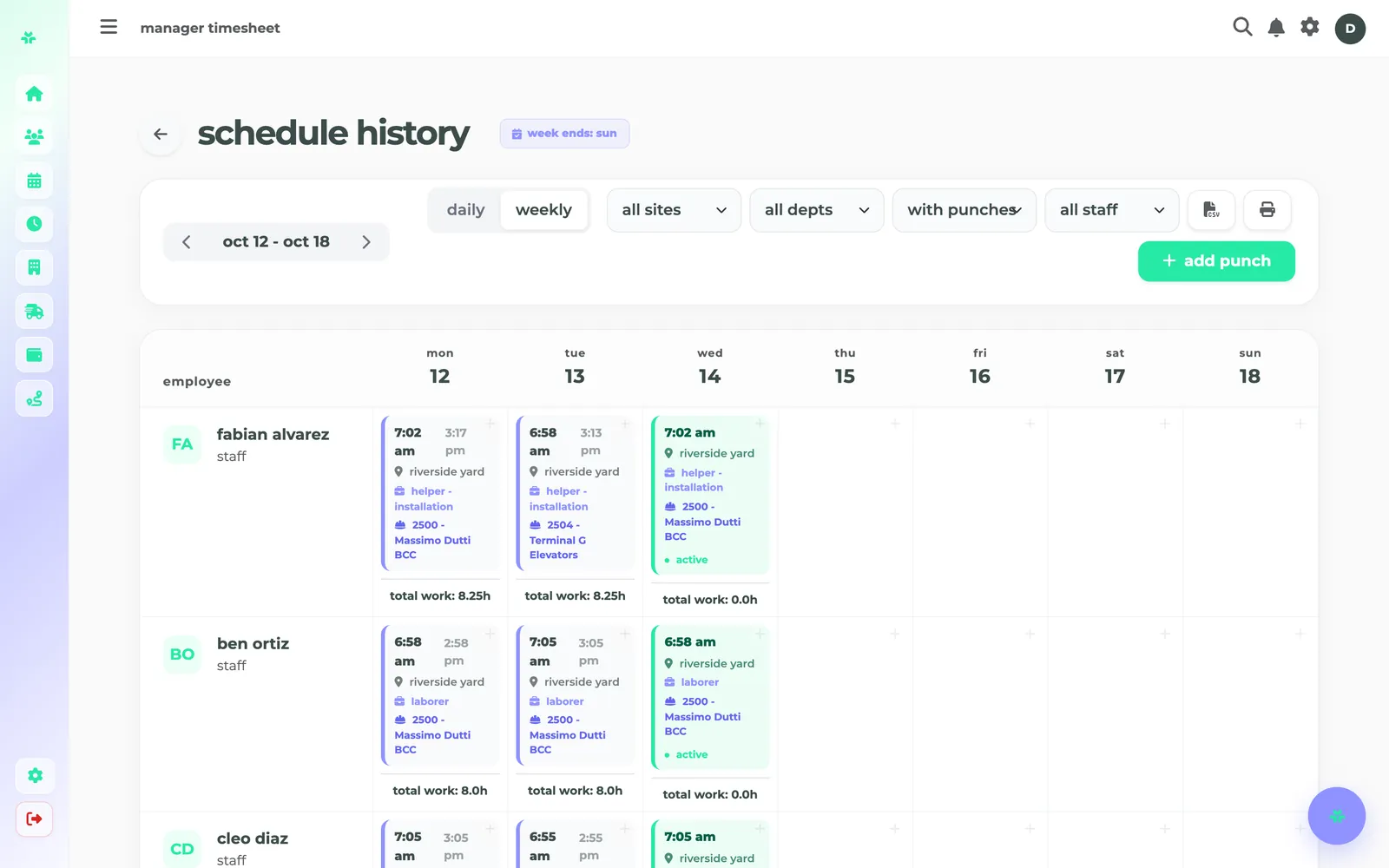
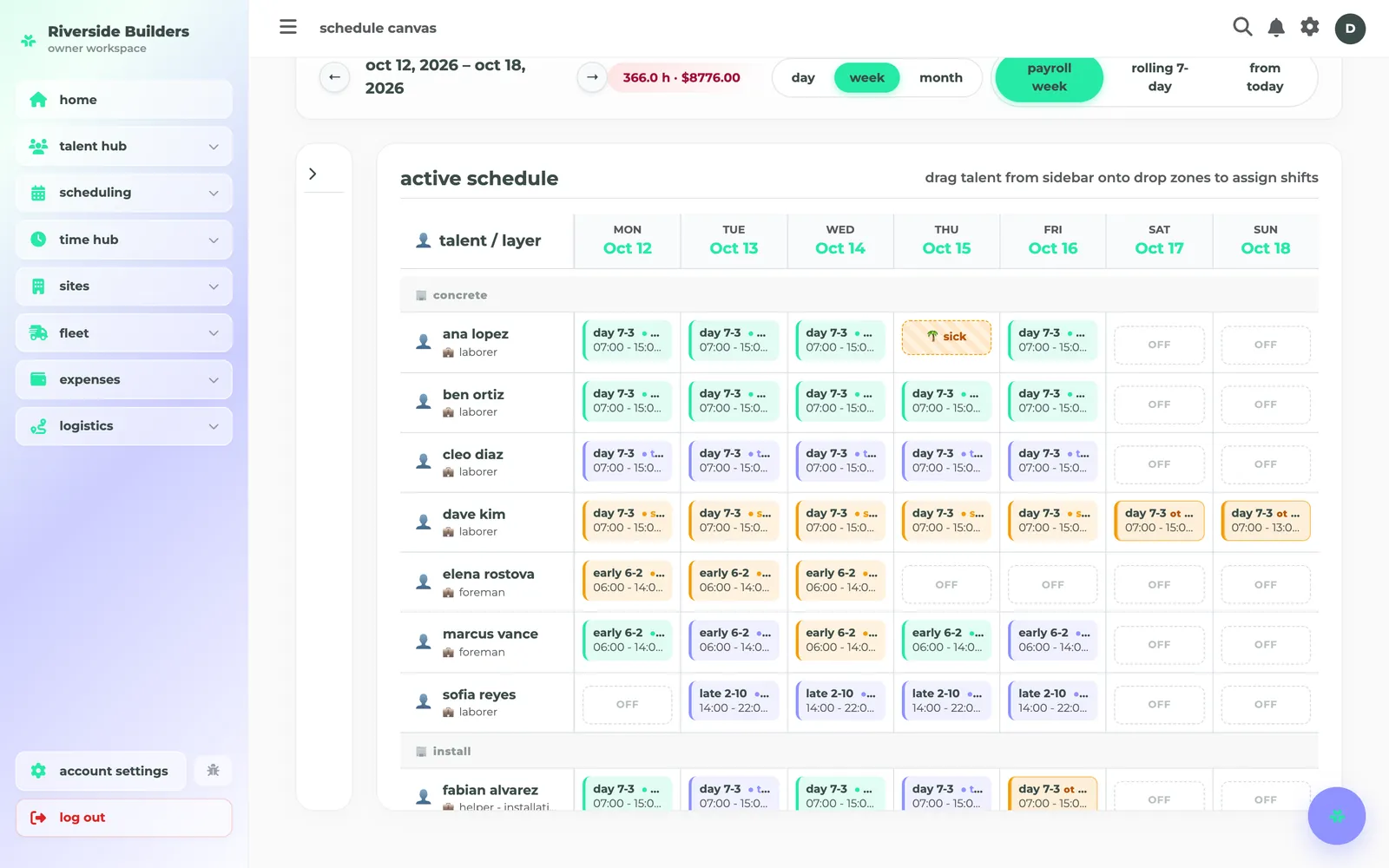
plan the week by dragging shifts onto people. time off blocks the day, overtime turns amber, and the hours and labor cost update as you go.
every punch for the week, with its site, position and job — and who's on the clock right now.
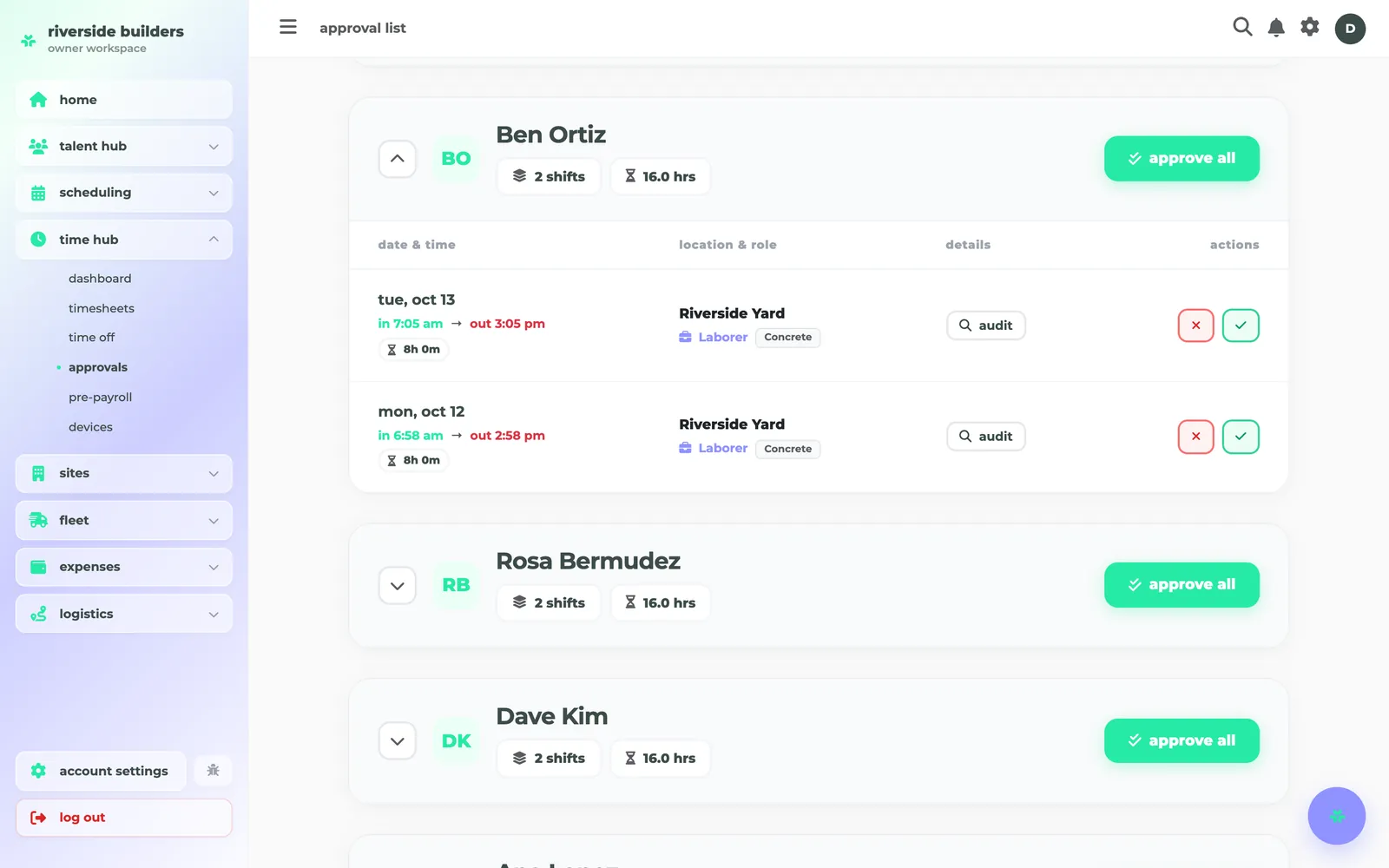
review each person's punches before payroll. check them first, then approve one, or all of them.
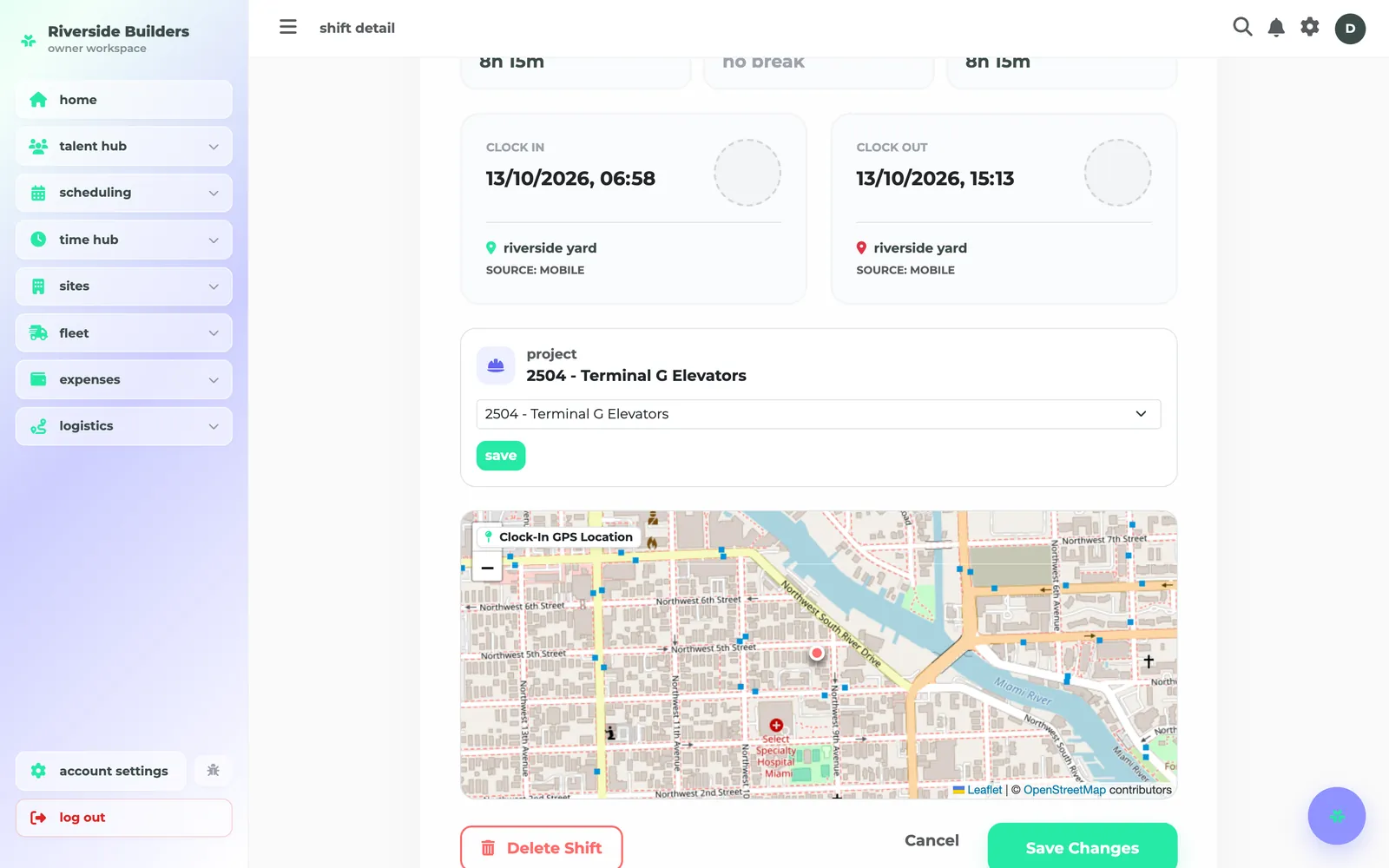
every punch, verified: inside the geofence, with the job it was booked to and where it happened on the map.
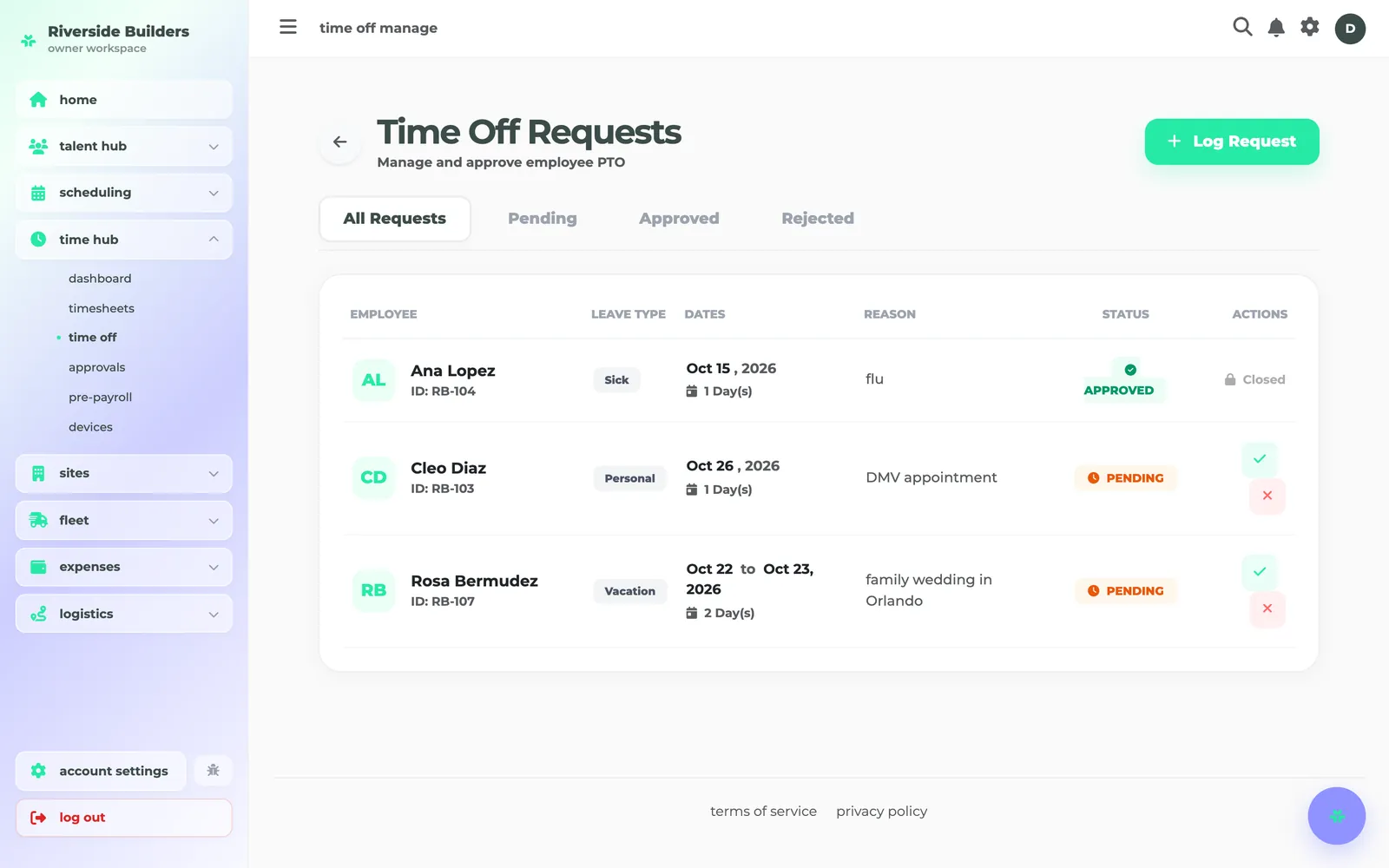
log a request for anyone, approve or reject in a tap, and approved days show on the schedule and on the worker's phone.
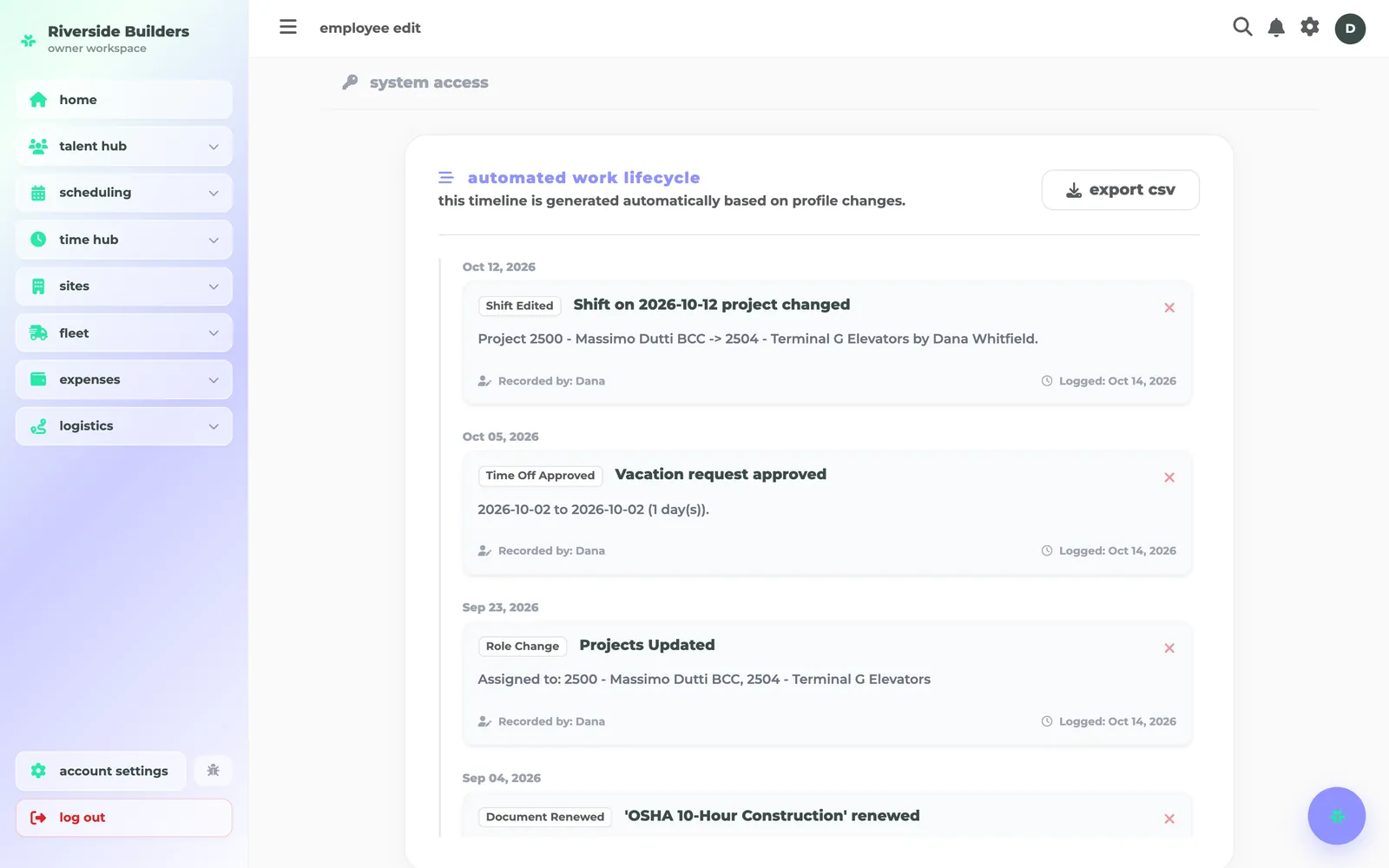
every change to a person — made in the app or through the assistant — on one timeline, with who made it.
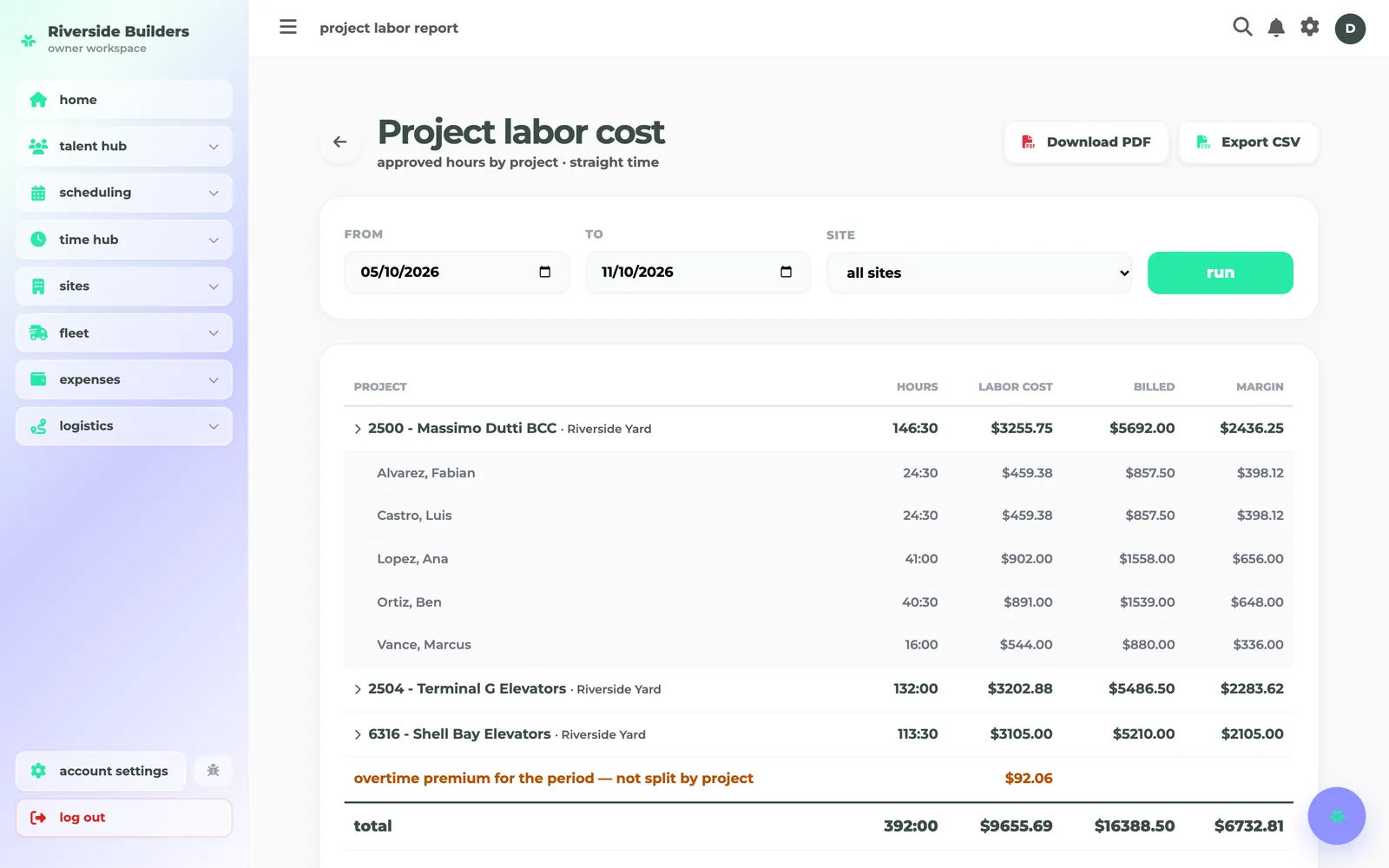
approved hours by job: labor cost, billed and margin, as a page, pdf or csv.
contractors, security companies, hotels and cleaning crews all run on shifts, sites and punches — but each one cares about something different. here's what rocteams does for yours.
your crews move between jobs all week. rocteams keeps every hour on the job it was worked on, so job cost is a report, not a spreadsheet.
an empty post is the call you dread. rocteams shows the gap the moment it opens, and who can fill it.
demand swings with every event. fill the gaps fast, and keep overtime where you decide it belongs.
your people cover a dozen buildings a week. rocteams knows the rules at each one, so you don't have to.
at your desk, ⌘k opens the assistant — expand it to the full screen with the day or the person beside the chat. a manager's phone has the same assistant. a worker's phone does a few things well: clock in on the right job, take an offered shift, see their schedule and time off.
on the desktop — ⌘k from anywhere
what each person sees follows their permissions: a manager's assistant can only do what that manager can do, and a worker's phone has no assistant at all.
try it in the live demo →timesheets, payroll prep, call-offs, new hires, expiring certificates, job reports — the admin a crew creates every month, by hand vs with rocteams. move the slider to your team.
most teams run one tool for payroll and hr and another for scheduling and time — two base fees, two per-seat rates, for the same 100 people.
then just $1.50 per additional seat. credits renew every month. no setup fees, no tiers, no seat penalties.